
Government Website Accessibility: The 2027 ADA Title II Guide
What the DOJ's ADA Title II web rule requires of cities, counties and towns, the current deadlines, and a practical plan to make your government website accessible.
Government Website Accessibility: The 2027 ADA Title II Guide
If you run a city, county, town or special district website in the U.S., the rule is now set: your web content and mobile apps must meet WCAG 2.1 Level AA under Title II of the Americans with Disabilities Act. The deadline is April 26, 2027 if your entity serves 50,000 people or more, and April 26, 2028 if it serves fewer than 50,000 or is a special district government. This guide explains what the rule covers, what changed in 2026, and how to get your site ready without guesswork.
MediaclickBuild a More Accessible Government WebsiteMediaclick develops websites for municipalities, with conversion-focused design to help public entities communicate their offerings clearly.Explore municipal web solutions
TL;DR
The DOJ’s 2024 Title II rule sets WCAG 2.1 Level AA as the technical standard for state and local government web content and mobile apps.
A 2026 interim final rule moved the deadlines out one year: April 26, 2027 for entities of 50,000 or more people, April 26, 2028 for everyone else.
Automated scanners alone will not get you there. You need automated checks, manual review and testing with people who have disabilities.
Contracts matter: hold web vendors and software providers accountable for accessible deliverables, and name an accessibility coordinator.
Start with an inventory and a prioritized fix list now. Compliance is an ongoing state, not a one-time project.
Table of Contents
What the rule actually requires
The deadlines, and what changed in 2026
ADA vs. WCAG: how the two fit together
What WCAG 2.1 AA means on a real city website
How to test: why a scanner is not enough
A practical plan, in order
Our perspective
Where Media Click AI can help
Common mistakes to avoid
FAQ
Sources
What the rule actually requires
Title II of the ADA says that no qualified person with a disability can be excluded from, or denied the benefits of, the services, programs or activities of a public entity. For decades that principle applied to websites without a technical yardstick. In April 2024 the Department of Justice published a final rule that names one: WCAG 2.1 Level AA.
The rule covers web content and mobile apps that a public entity provides or makes available, including through contractors and third parties. That reaches well past your homepage. Think about the pages residents use most:
Online bill pay for water, taxes and parking tickets
Permit and license applications
Meeting agendas, minutes and recorded meetings
Emergency alerts and public notices
Event calendars, park reservations and library catalogs
PDF forms, maps and documents posted for the public
The DOJ also publishes a small entity compliance guide written for smaller governments. It is the best plain-language starting point for a town clerk or IT lead who has to brief a council.
The deadlines, and what changed in 2026
When the rule was published, large entities faced a compliance date of April 24, 2026 and smaller ones April 26, 2027. On April 20, 2026, the DOJ issued an interim final rule extending those dates by one year. The University of Arizona’s accessibility office summarizes the new compliance dates clearly.
Entity | Compliance date |
|---|---|
State or local government with a total population of 50,000 or more | April 26, 2027 |
Population under 50,000 | April 26, 2028 |
Special district governments (any size) | April 26, 2028 |
Two cautions. First, rules can change again, so check the Federal Register and ADA.gov before you set a budget around a date. Second, the extension does not suspend the ADA itself. Title II has always prohibited exclusion from public services, and residents can still file complaints about an inaccessible site. Treat the date as the point where a specific technical standard becomes enforceable, not as a license to wait.
ADA vs. WCAG: how the two fit together
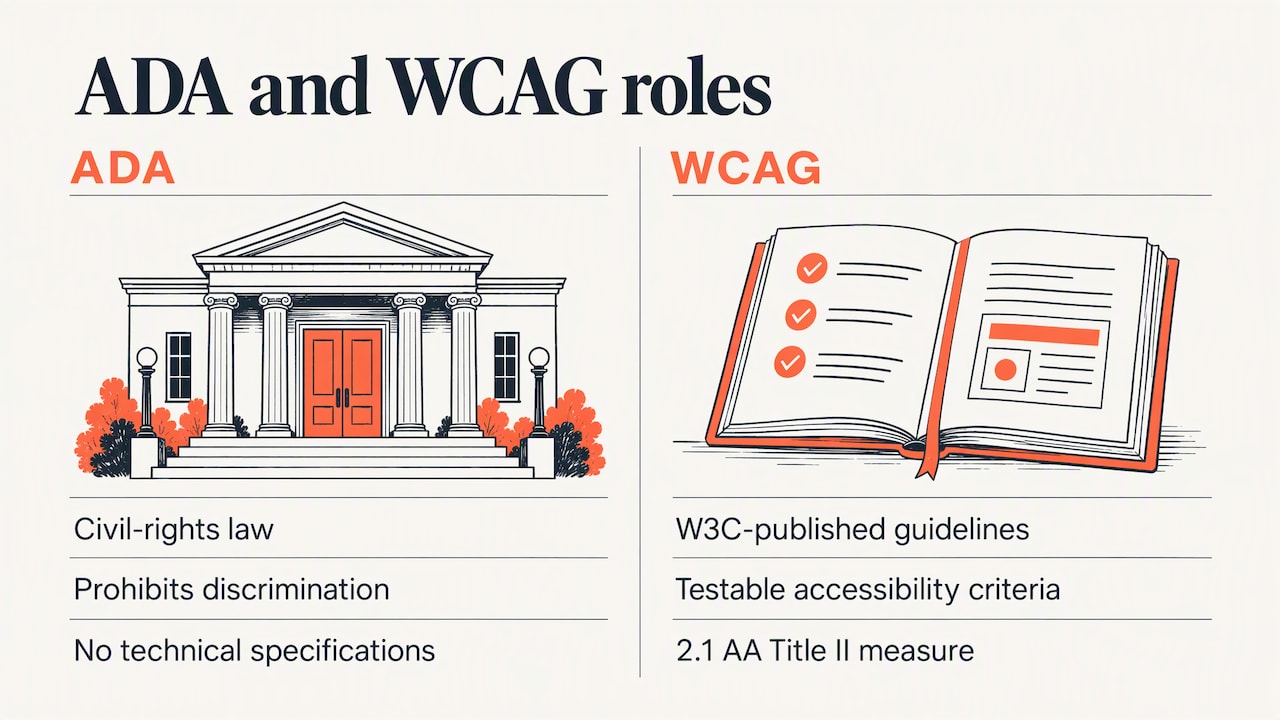
People search for this constantly, so it is worth getting straight. The ADA is a civil rights law. It prohibits discrimination but does not list technical specifications. The Web Content Accessibility Guidelines, published by the W3C, are the testable standards that describe how to make web content usable by people with disabilities.
WCAG is not a law on its own. But for state and local governments, the 2024 rule makes WCAG 2.1 Level AA the measuring stick for meeting Title II on the web. If an auditor, a complainant or the DOJ asks whether your site is accessible, the answer is measured against those success criteria.
WCAG 2.2 exists and adds further criteria. The rule names 2.1 AA as the floor, so that is your legal target. Building to 2.2 where you can is a sensible way to avoid redoing work later.
What WCAG 2.1 AA means on a real city website
The standard rests on four principles: content must be perceivable, operable, understandable and robust. Here is how they show up in daily municipal work.
Documents and PDFs
Governments publish a lot of PDFs: budgets, zoning maps, meeting packets, application forms. Scanned images of paper are the classic failure, because a screen reader sees nothing. Documents need real text, a logical reading order, headings, and labeled form fields. Where a PDF is a poor fit, an HTML page is almost always more usable on a phone as well.
Forms and payments
Every field needs a visible, programmatically linked label. Error messages must say what went wrong and how to fix it, not just turn a box red. Time-limited sessions on payment portals need warnings and a way to extend. Forms are where residents transact with you, so they are where an accessibility failure costs the most.
Navigation and structure
A keyboard-only user must be able to reach and operate every menu, button, date picker and modal, and always see where focus is. Pages need descriptive headings and titles. Mega-menus that open only on hover are a frequent problem on municipal sites.
Color, text and media
Text needs sufficient contrast against its background, and information cannot depend on color alone, which matters for status maps and alert banners. Videos of council meetings need accurate captions. Images that carry meaning need meaningful alternative text, and decorative ones need empty alt text so they are skipped.
Third-party tools
Agenda platforms, GIS viewers, payment processors and booking tools are part of your web presence. The rule reaches content provided through third parties, so an inaccessible vendor widget is still your problem.
How to test: why a scanner is not enough
Automated tools are a good first pass. They catch missing alt attributes, low contrast and unlabeled fields quickly. They cannot judge whether alt text is meaningful, whether the tab order makes sense, or whether a screen reader user can finish a permit application.
The U.S. Access Board makes this point in its guidance on testing and its ICT Testing Baseline for Section 508: conformance testing is more than running one tool. A realistic program has three layers:
Automated scanning to find common programmatic errors across hundreds of pages.
Manual evaluation by trained reviewers who check keyboard use, focus order, headings, forms and screen reader behavior.
Testing with people with disabilities to confirm the experience is usable, not just technically conformant.
Be skeptical of overlay widgets that promise instant compliance with one line of code. They cannot repair structural problems in templates, documents or forms, and the DOJ’s settlement agreement with Virginia Beach shows what regulators actually expect: a published policy, review of content and ongoing accountability.
A practical plan, in order
1. Take inventory
List every site, subdomain, portal, mobile app and third-party tool residents use. Rank them by traffic and by how essential the service is. Emergency information, payments and permits come first.
2. Audit the high-priority items
Run automated scans, then do manual checks on your top templates and top ten tasks: paying a bill, finding a meeting agenda, applying for a permit, reporting a problem. Fixing a template fixes every page built on it, so templates give the best return.
3. Name a coordinator and adopt a policy
The Virginia Beach agreement requires the city to adopt, implement and post online a policy that its web content and mobile apps comply with the ADA and WCAG 2.1 Level AA, and to repeat that effort annually. Even if you are not under an agreement, a named accessibility coordinator and a written policy are the backbone of a program that survives staff turnover.
4. Train the people who publish
Most new barriers come from everyday publishing: an uploaded scan, a photo with no description, a vague link that says “click here.” Train department staff who post content, and your contractors, on the handful of habits that prevent most of them.
5. Fix procurement
Municipalities should write accessibility into standard procurement and development contracts, so web developers and software vendors are accountable for delivering WCAG-conformant work. Otherwise you inherit the cleanup after launch, at your own expense. Ask vendors for conformance documentation and the right to test before acceptance.
6. Publish an accessibility statement and a way to report barriers
The federal rule does not hinge on a statement the way the EU’s Web Accessibility Directive does for public bodies there, but a statement is still good practice. The W3C advises treating it as a user-experience asset, not a legal shield: plain language, known limitations, and clear ways to report a problem, such as an accessible form or a phone number. Then answer the reports you receive.
7. Monitor continuously
A site that passes today can fail next month after a redesign or a new plugin. Build checks into your release process and rescan on a schedule.
Our perspective
We build and advertise websites for municipalities and businesses, and we see the same pattern in civic web projects. The site is judged by whether a resident can finish a task, not by how it looks in a council presentation. Accessibility and conversion are the same discipline: remove friction, make the next step obvious, and write for the person with the least patience and the most urgent need.
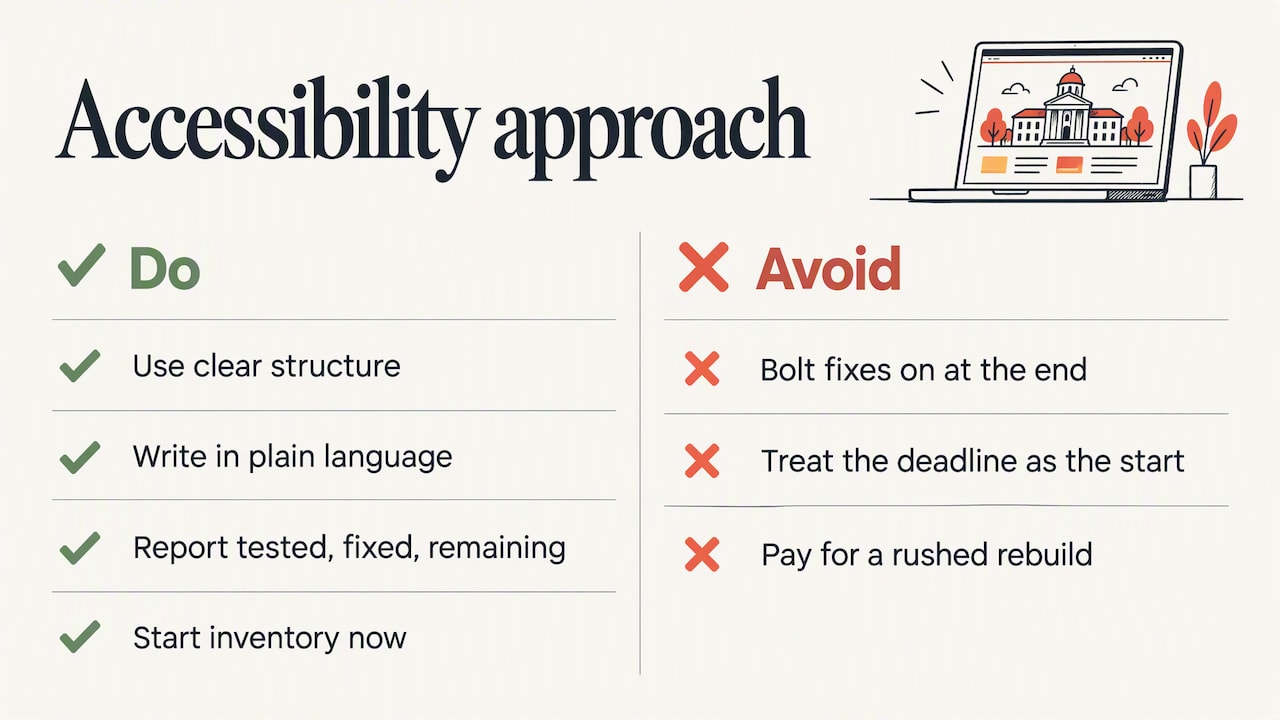
That is why we favor clear structure, plain language and conversion-ready layouts from the first wireframe, rather than bolting fixes on at the end. A clean heading hierarchy, labeled forms and honest link text help a screen reader user and also help the resident on a phone in a parking lot. We also insist on transparency: reporting that shows what was tested, what was fixed and what remains. Compliance is something you keep doing, so the work has to be set up to be maintained by your own staff.
We would also urge any town to treat the deadline as the end of a runway, not the start of one. Entities that begin their inventory now can spread the cost across budget cycles instead of paying for a rushed rebuild.
— User
Where Media Click AI can help
If you are planning a redesign or a new municipal site, we design and develop conversion-focused websites for local governments, and we support them with analytics and reporting and community engagement campaigns that point residents to the services they need. You can see the full list on our services page, and a civic example in our Borough of Englewood Cliffs website and brand modernization. We scope each project individually, so there is no published price. Contact us through our site to talk through your timeline and the deadline that applies to you.
If you are weighing build approaches, our note on Webflow versus custom code covers the tradeoffs that affect long-term maintenance.
Common mistakes to avoid
Buying an overlay and calling it done. It does not repair inaccessible templates, forms or documents.
Fixing only the homepage. Residents land on deep pages from search and social links.
Ignoring archived content. The rule has limited, narrowly defined exceptions, so check the compliance guide before you decide a page is exempt.
Forgetting video. Council meeting recordings need captions.
Leaving vendors out of the contract. Accessibility needs to be a deliverable, with testing before acceptance.
Writing a legalistic statement. Dense language alienates the users you are trying to support.
FAQ
Do government websites need an accessibility statement?
The U.S. Title II rule does not make a statement the core of compliance, but publishing one is strongly recommended. The W3C suggests plain language, known limitations and a working way to report barriers. In the EU, the Web Accessibility Directive requires public bodies to publish one.
What is the difference between WCAG and the ADA?
The ADA is the civil rights law that prohibits discrimination. WCAG is the set of technical standards used to test whether web content is accessible. For U.S. state and local governments, WCAG 2.1 Level AA is the standard the DOJ’s Title II rule uses to measure web accessibility.
When must my city or county comply?
After the DOJ’s April 2026 interim final rule, entities with 50,000 or more people must comply by April 26, 2027. Smaller entities and special district governments have until April 26, 2028. Confirm the dates on ADA.gov before finalizing plans, as they have already moved once.
Can an automated scanner prove my site is compliant?
No. Scanners find common code-level errors but miss problems with logic, keyboard flow and usability. Federal guidance points to a mix of automated scanning, manual evaluation and user testing for a true picture of conformance.